Tips & Methods
The €1 Reader Plan in MovaReader: A Detailed Look at What It Unlocks
One euro a month is less than a coffee, so the real question is what it actually removes from your reading. Four things, and one of them is not what most people expect.
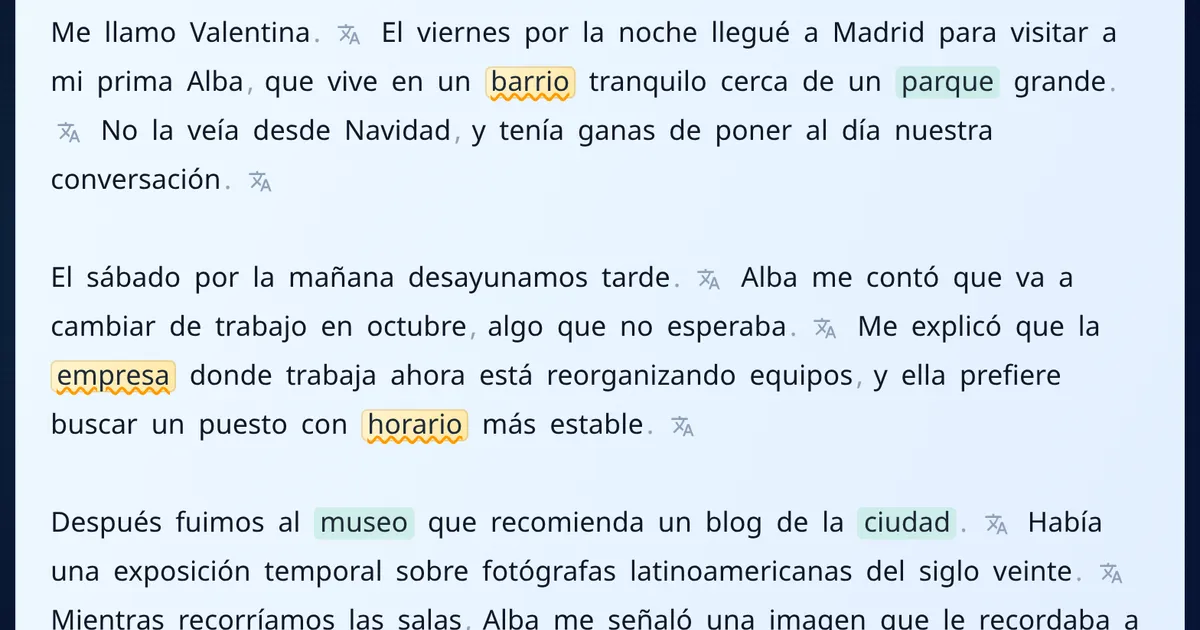
A euro a month is a strange price. Too small to agonise over, too small to feel like a real product decision. So the useful question is not "is it worth it" but "what exactly stops getting in my way".
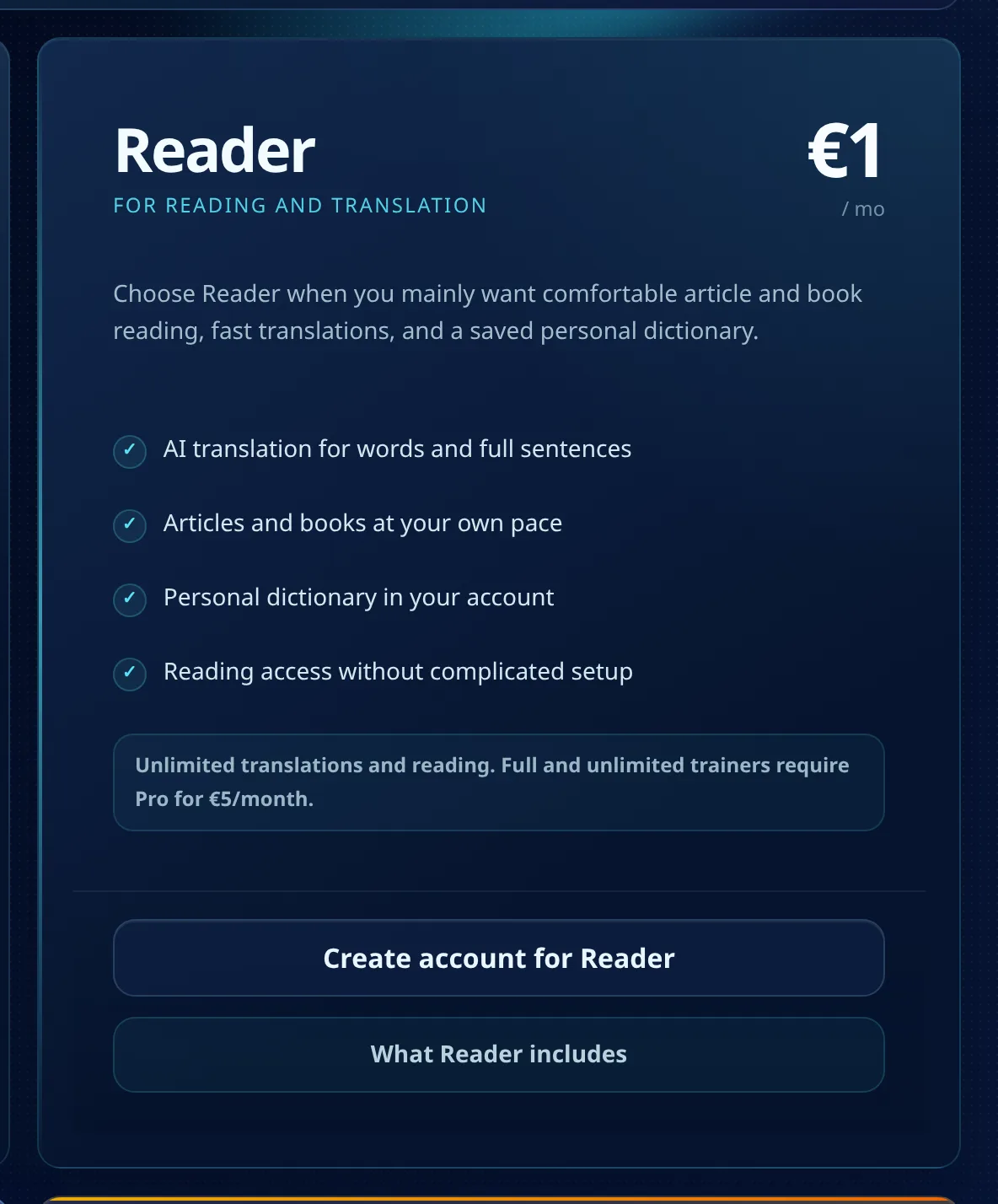
Reader is the first paid step in MovaReader, and it is deliberately narrow. It does not try to be a course, a trainer suite or an AI writing tool. It removes friction from one activity: reading a text in a language you do not fully know yet.
It is also a trade, not a pure addition, and that part usually gets buried in plan comparisons. Reader is not the free plan with the cap lifted. It is a different shape: the reading side opens up completely, and three small daily allowances that the free plan does give you are not part of Reader at all.
Here is what that looks like in practice, screenshot by screenshot, including the parts Reader does not cover.
The short version
- Word translations stop counting down. The free plan gives you 20 a day; Reader gives you as many as you want
- Whole sentences become translatable, not just single words
- Each word card gains a Meaning line: a real definition, not only a translation
- Words with several forms get a Family tab, so
mirar,miroandmirasit in one card instead of three separate lookups - In exchange you give up the free plan's three daily allowances: one word trainer run, one phrase trainer run and one URL import a day. Reader has none of them
- Trainers, your own texts and the grammar lessons stay in Pro at €5
What the plan card tells you
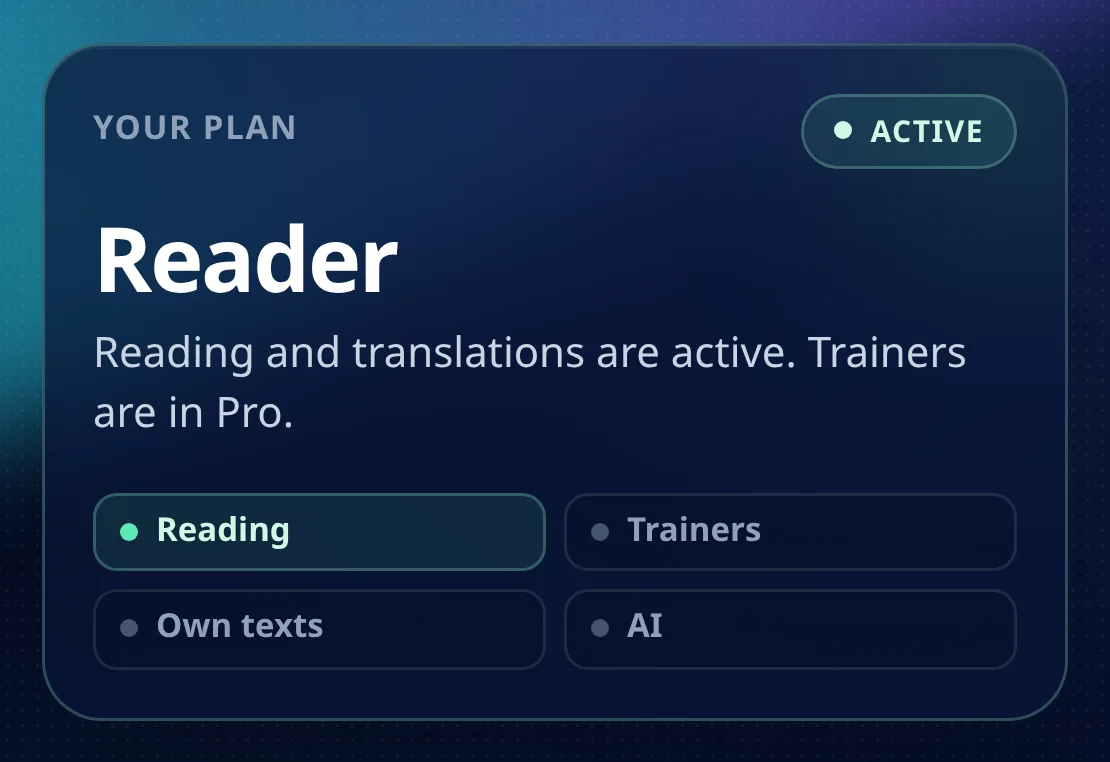
Sign in and the workspace opens with a plan card. On Reader it is refreshingly blunt.
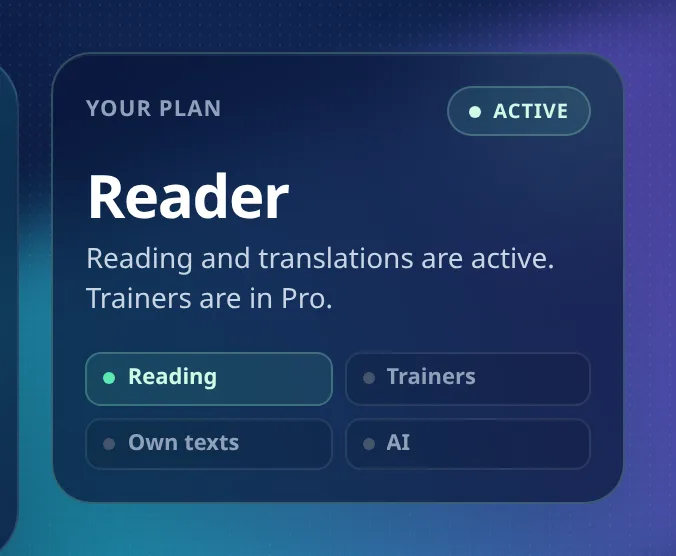
Reading is on. Trainers, own texts and AI are off. No asterisk, no "coming soon". The product is telling you exactly where the euro goes, and it is worth reading that card before you pay rather than after.
Translations stop counting down
This is the change you feel within a minute. On the free plan every word card carries a small line saying how many of today's twenty translations are left. On Reader that line is simply gone.
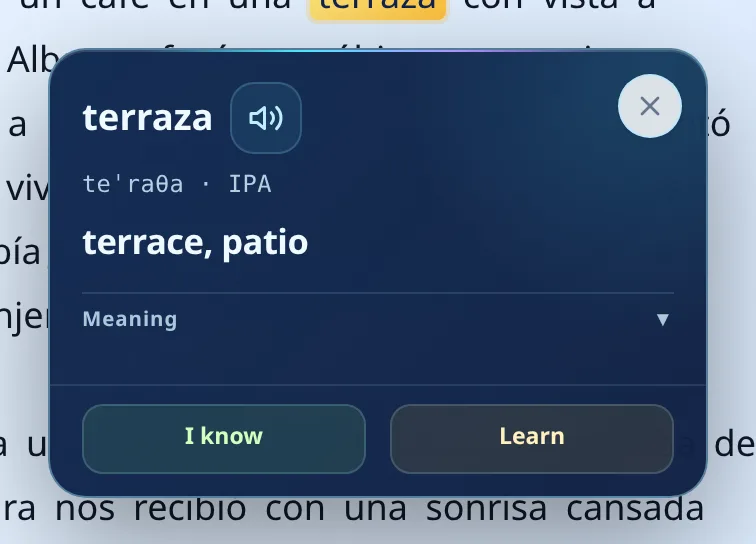
Tap a word, read the translation, mark it or ignore it, move on. Nothing is being spent. That sounds like a small thing until you meet a paragraph with nine unfamiliar words and realise you no longer have to ration which ones you look up.
If you are rebuilding a reading habit, this is the whole point of the plan. Rationing lookups teaches you to skip words, and skipping words is how a text quietly becomes noise.
The card grows a definition
Under the translation there is a Meaning row. Open it and you get a short definition written for learners.
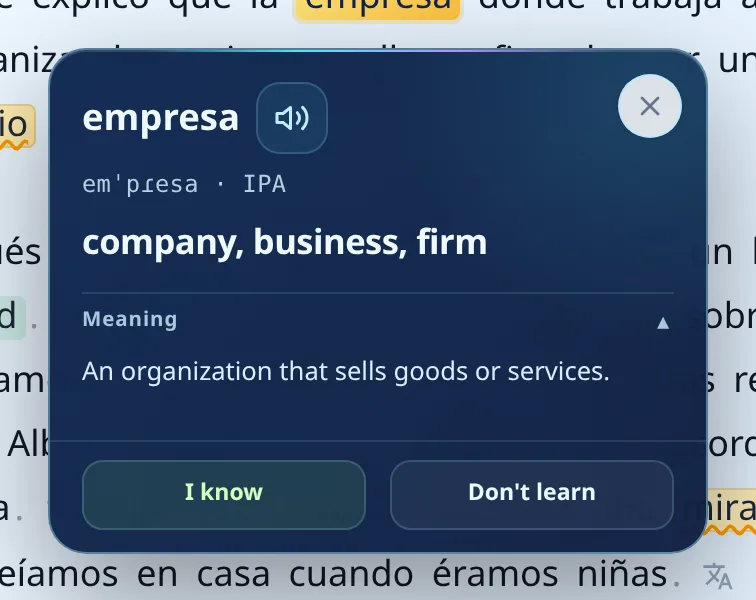
A translation tells you which word to say in your own language. A definition tells you what the word covers. Those are different problems, and the second one is what stops you from using a word slightly wrong for the next two years.
The row is honest about its own gaps. When the dictionary has no definition for that particular word, it says so plainly rather than inventing one, so you never have to wonder whether you are reading a real entry or a guess.
This section is the paid tell in the reading interface. The free plan shows the translation and the status buttons; it never shows this row.
One word, all its forms
Some words arrive with a Family tab. Open it and you see the same word across its forms, each with its own translation, its own label and its own pair of buttons.
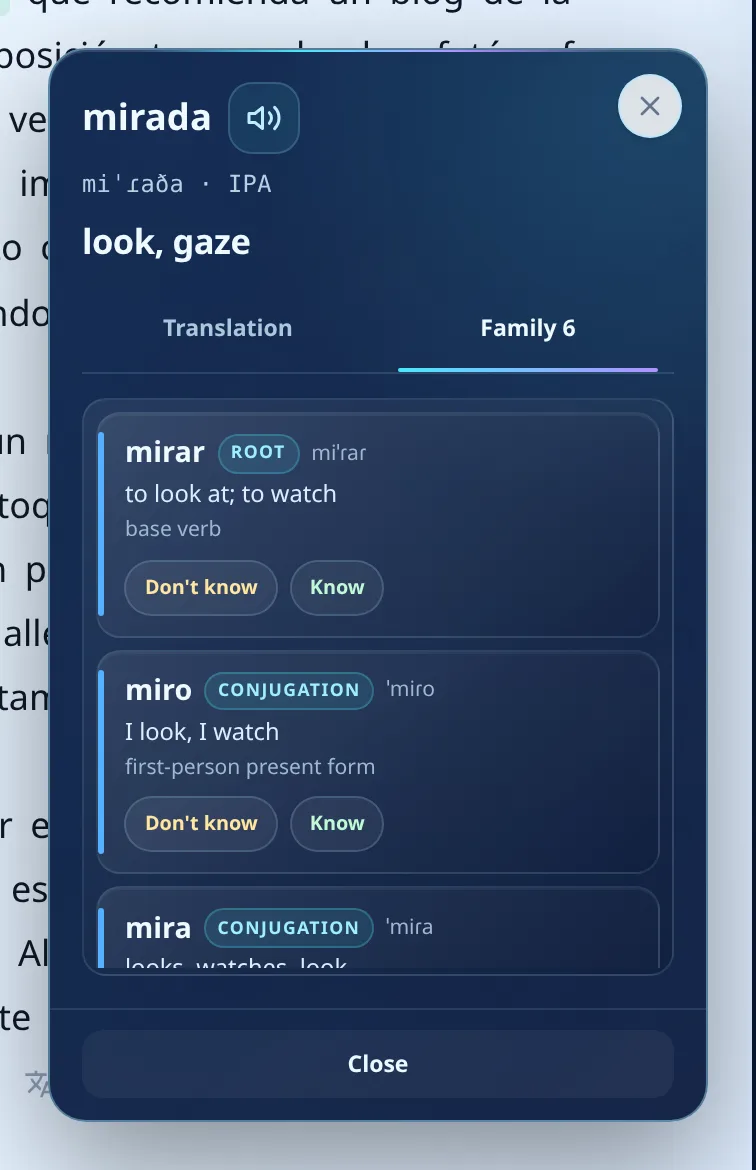
mirada is a noun, mirar is the verb it comes from, miro and mira are present-tense forms you will meet constantly. Seeing them in one card changes what you are looking at: not several unrelated vocabulary items, but one word with a shape. The card for mirada lists six of them.
Two practical notes. The tab only shows up when the dictionary actually holds other forms for that headword, so not every word card has one. And it does not mark the whole cluster in one tap. Simple inflections travel with the base word, so a noun and its plural share a status. Separate words do not: mirar and mirada are their own entries, and each one waits for its own button. The Family tab is there to show you the cluster and let you work through it, not to clear it in a single press.
That is arguably the right behaviour. Recognising mirada in a sentence is not the same skill as recognising miraban, and a plan that quietly marked all six would be flattering your progress rather than tracking it.
Whole sentences, not just words
Between sentences there is a small translate icon. On the free plan pressing it produces an upgrade pitch. On Reader it produces the sentence.
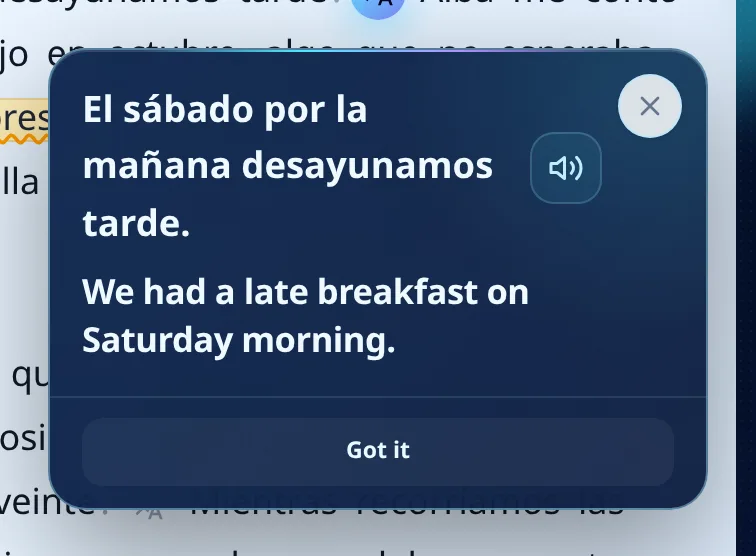
This matters most where vocabulary is not the problem. You know every word and the sentence still refuses to resolve, usually because of word order, a pronoun doing something unfamiliar, or a tense you have read about but never met in the wild. One tap and you can compare your reading with the actual meaning.
What carries over, and what does not
Everything about reading carries over from the free plan. The three daily allowances do not: the free plan's one word trainer run, its one phrase trainer run and its one URL import a day are not part of Reader. Keep that trade in view while you read the rest of this section, because the reading side really is untouched.
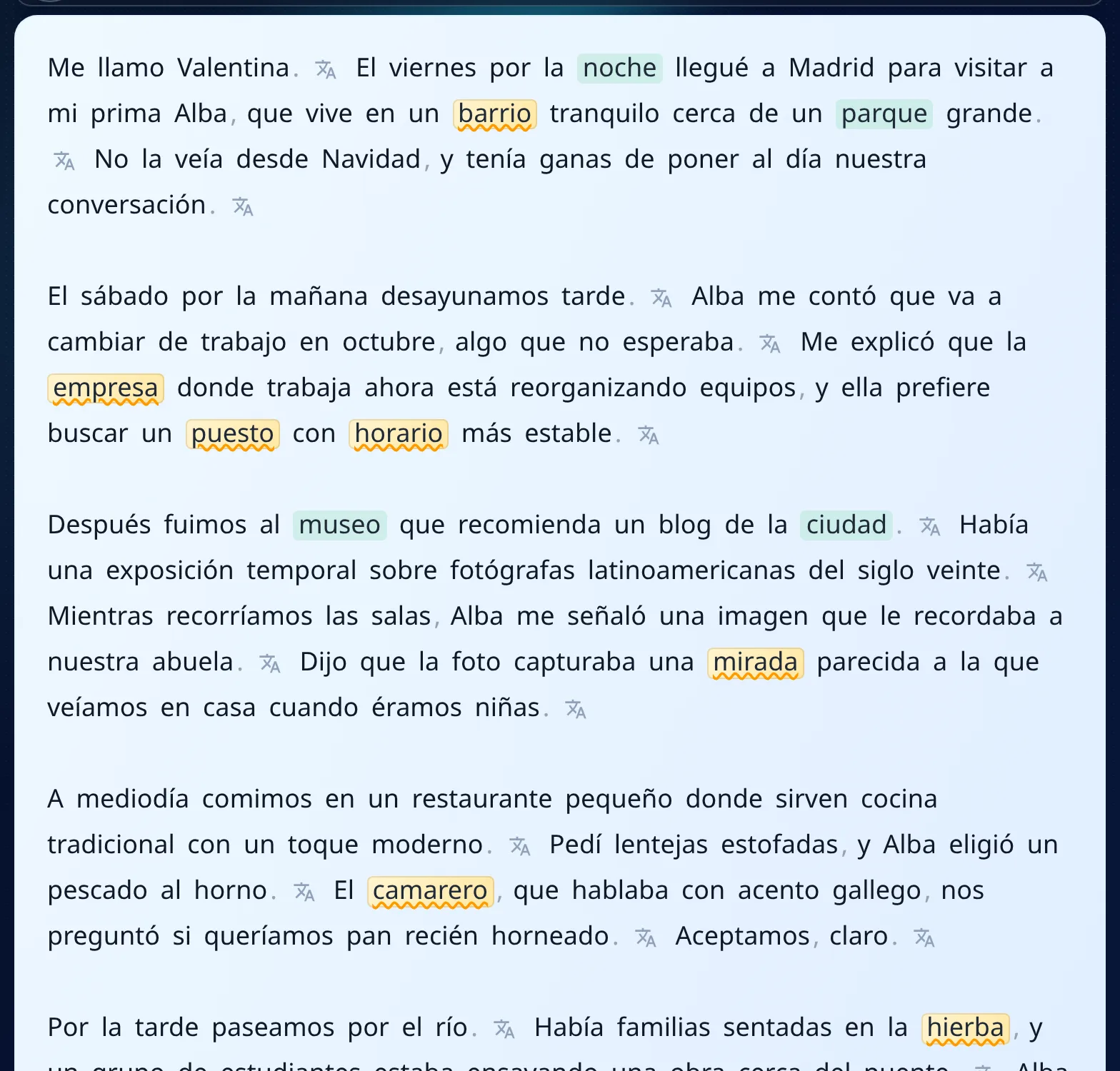
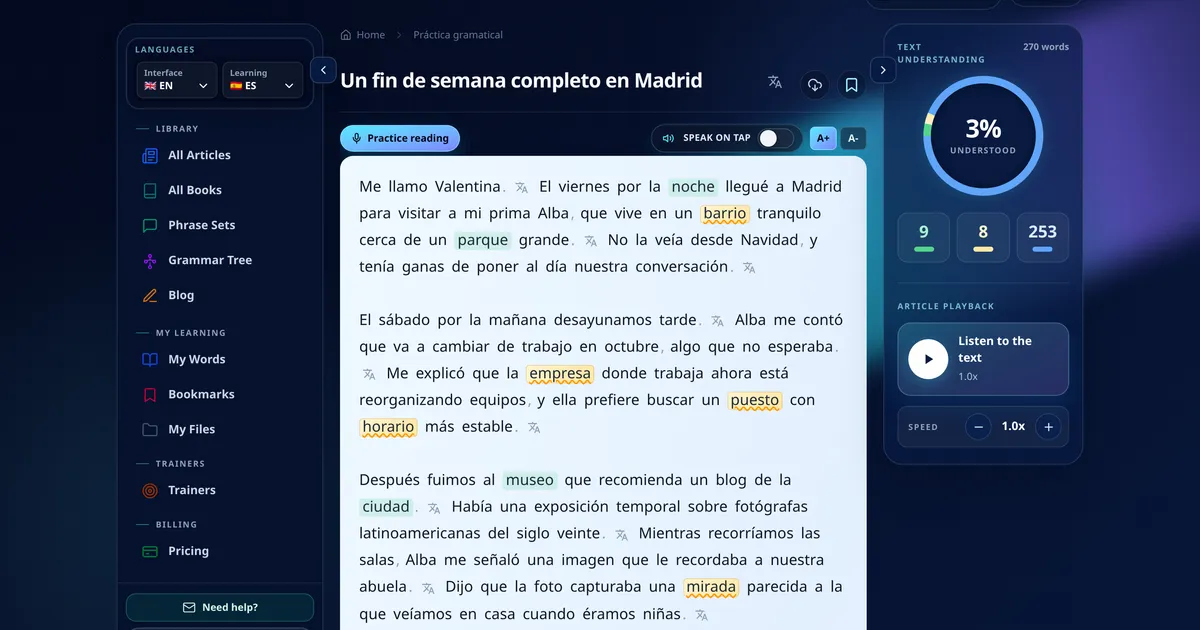
The whole library stays open, all CEFR levels, no article count. Your colours still follow you: green for words you marked as known, amber for words you are studying. Words you have never touched are not colour coded at all, they are just plain dark text, which is what keeps a page readable when you are ten articles in. The right rail then counts what is left, and the blue number there is the not-yet-learned pile.
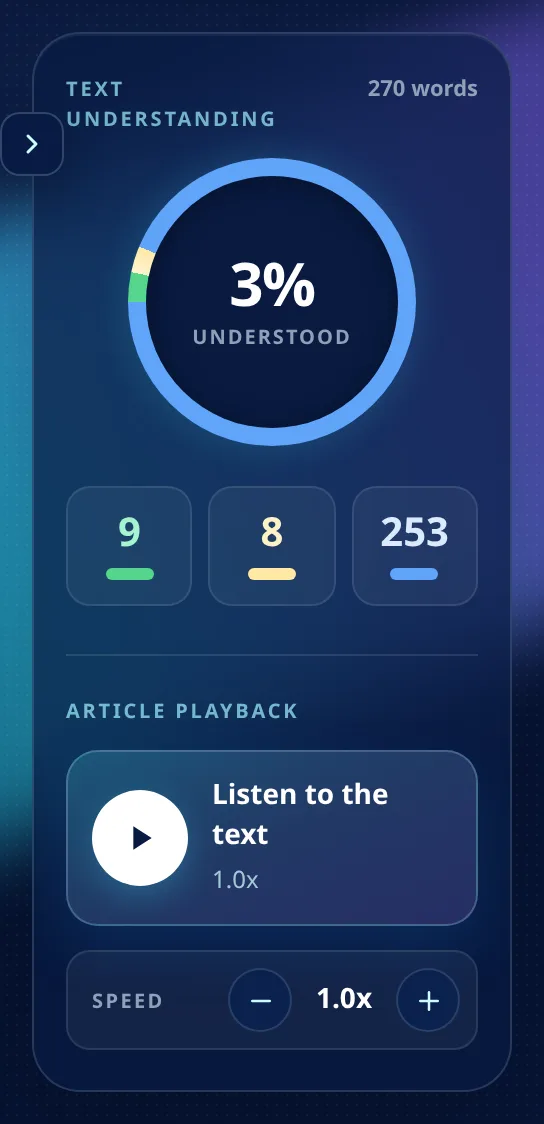
That percentage is not decoration. It is the fastest way to tell whether a text is at your level before you commit twenty minutes to it. Nine known words, eight in progress and 253 still ahead of you is a very different evening from the same panel reading sixty per cent. The same rail holds article playback, so you can listen to the piece you are reading and adjust the speed while you follow along.
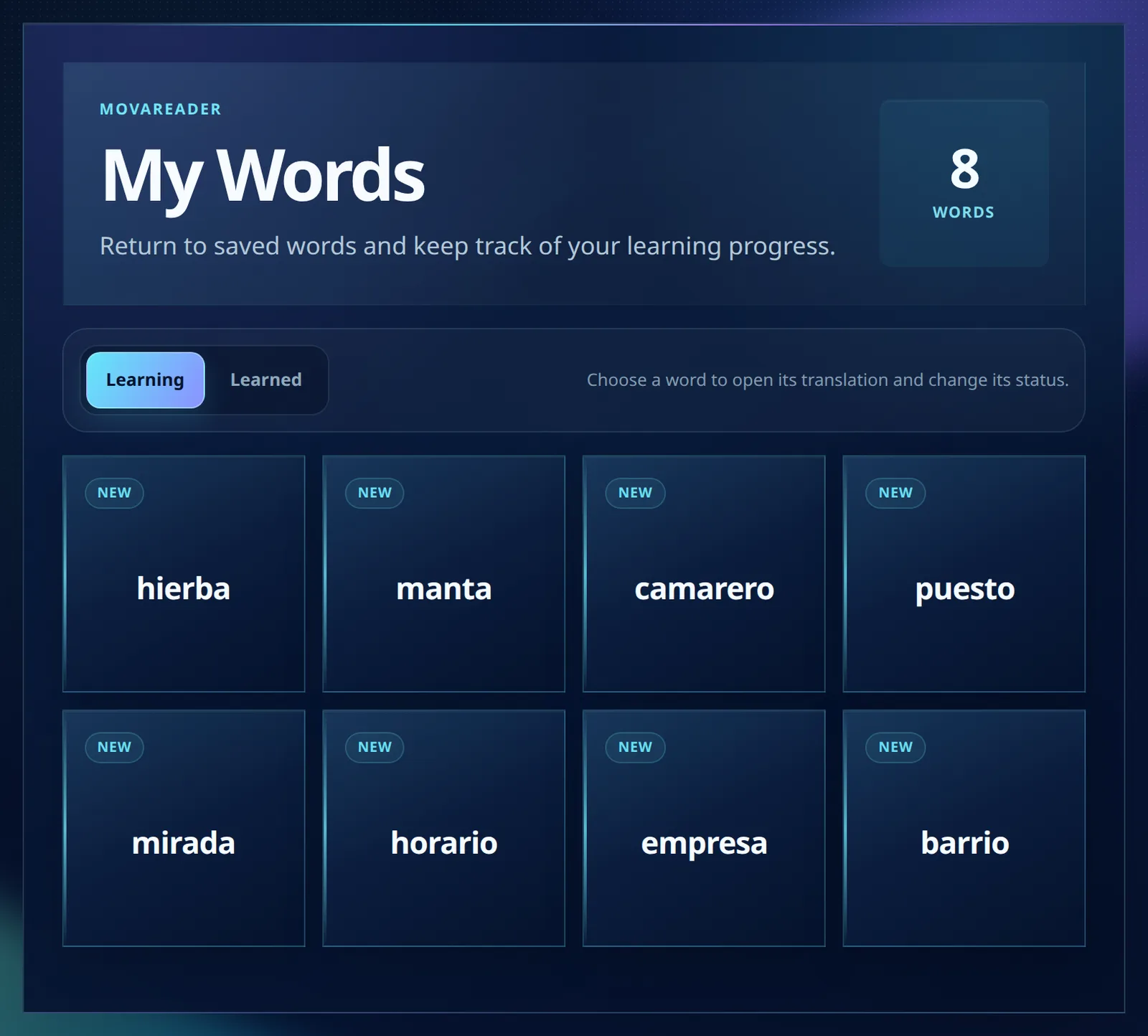
And My Words keeps everything you marked, split across a Learning tab and a Learned tab, kept separately for each language you are learning. The two tabs are the useful part: the words you are still working on do not get buried under the ones you have finished. The audio phrase trainer also stays available with no daily limit, on the free plan and on Reader alike, and read-aloud practice is unlimited on every plan.
What Reader does not include
This is the part most plan reviews skip, so let us be precise.
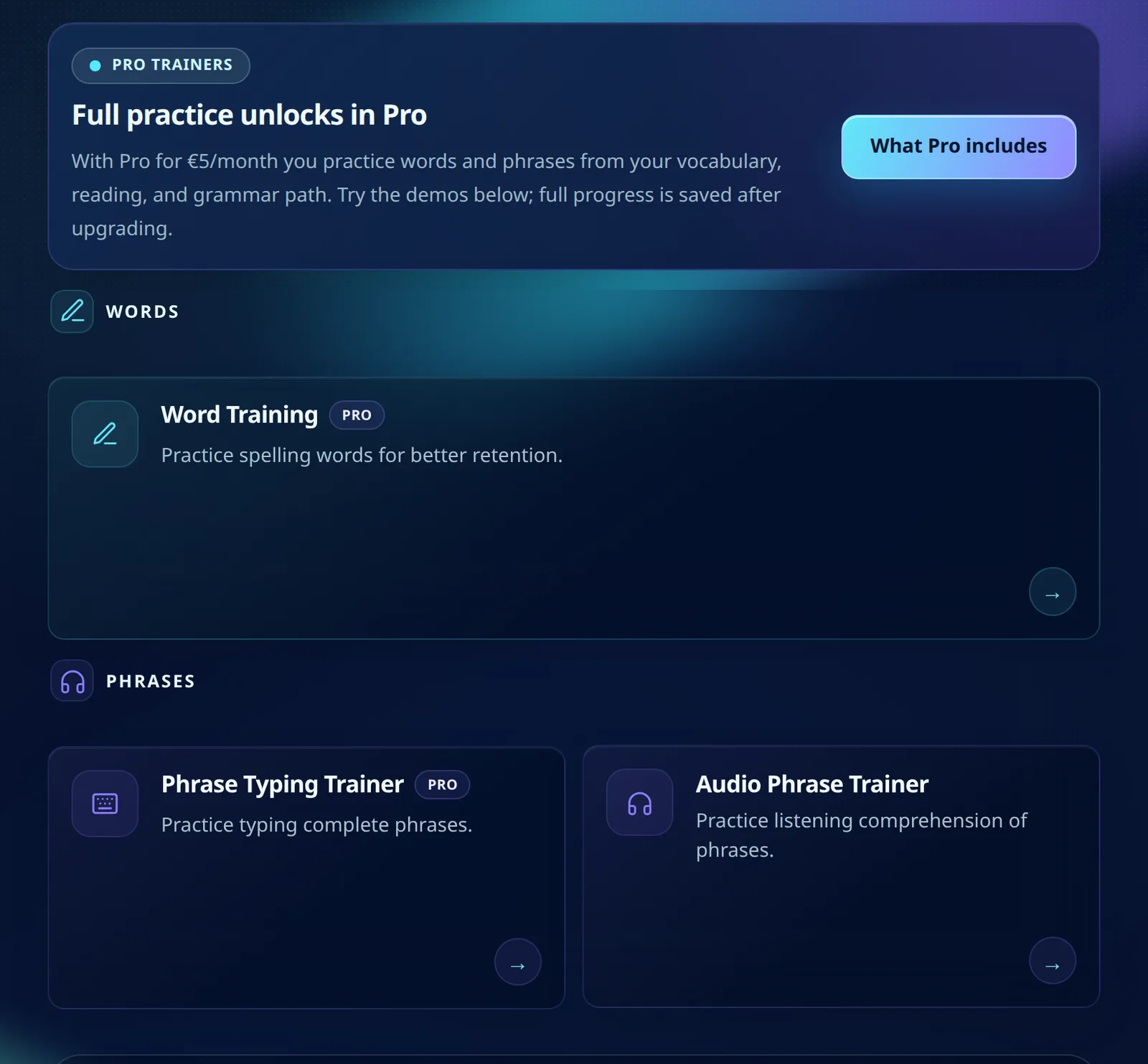
The typing trainers are Pro features. On Reader the cards carry a PRO badge and a banner explaining that full practice unlocks at €5. This deserves an extra sentence, because it is genuinely counterintuitive: the free plan gives you one run of the word trainer and one run of the phrase trainer every day, on two independent daily counters, and Reader gives you neither. If your evening routine is a quick trainer round, moving to Reader takes that away rather than extending it. Reader is a reading plan, not a smaller Pro.
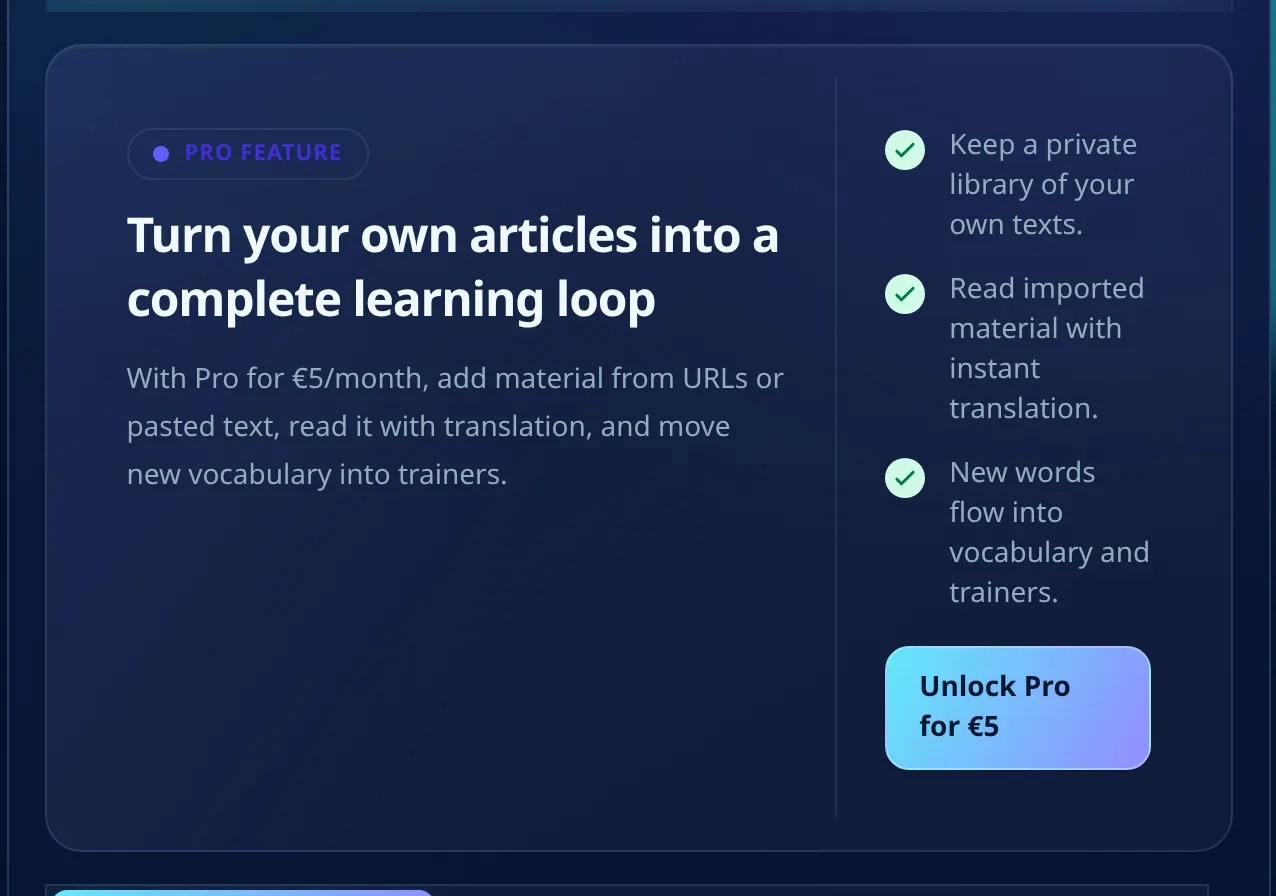
Your own material is also Pro. The free plan can import one article by URL a day, and Reader can import none. Pasting your own text and keeping a private library are a separate matter: that path does not exist on the free plan at all, and it starts at €5 together with unlimited URL imports.
The grammar tree is half open: you can browse the whole A1 to C2 map and see what each module contains, but opening a node to read it asks for Pro. AI features need AI Plus at €12.99. Read-aloud practice is unlimited on every plan, though only Pro and above keep the history of your attempts.
The three plans side by side
| Feature | Free | Reader | Pro |
|---|---|---|---|
| Whole library, all levels | yes | yes | yes |
| Word translations | 20 a day | unlimited | unlimited |
| Sentence translation | no | yes | yes |
| Meaning row and Family tab | no | yes | yes |
| My Words dictionary | yes | yes | yes |
| Audio phrase trainer | unlimited | unlimited | unlimited |
| Read-aloud practice | unlimited | unlimited | unlimited |
| Saved read-aloud history | no | no | yes |
| Word typing trainer | 1 run a day | none | unlimited |
| Phrase typing trainer | 1 run a day | none | unlimited |
| Import a URL | 1 a day | none | unlimited |
| Paste your own text | not available | not available | yes |
| Open a grammar lesson | no | no | yes |
| AI features | needs AI Plus | needs AI Plus | needs AI Plus |
| Price a month | €0 | €1 | €5 |
Who should pick Reader
Take it if reading is the thing you actually do. You open a text most evenings, you meet more than twenty unfamiliar words, and you would rather look them all up than choose between them. That is the exact shape Reader is built around, and the three allowances you give up are ones you were probably not spending anyway.
Skip it if your habit is drilling, or if the one free URL import a day is how you get your material. If you spend your session in the typing trainer, or you mostly read articles you found yourself, Reader will feel narrower than the free plan in the places you care about. Go to Pro instead, or stay free until reading becomes the habit.
Questions people actually ask
Can I cancel? Yes, at any time, from the pricing page. Payment goes through Stripe, so card details are entered on their checkout rather than in MovaReader.
Do I lose my words if I go back to free? Your marked words and their colours stay: they live in your account, not in the plan. The reading extras do not. Dropping back to free brings back the twenty-a-day translation cap and also removes sentence translation, the Meaning row and the Family tab, because all three come with the subscription.
I use the free trainer run every day. What happens to it? It goes away on Reader, along with the phrase trainer run and the URL import. If those three are the backbone of your routine, the honest advice is to stay on free or go straight to Pro at €5, where both typing trainers run without a daily cap.
Is there a trial? There is something better: the free plan is not a trial. Read on it for a week, and if the twenty daily translations are the only thing slowing you down, the euro is an easy decision. Our full breakdown of the free plan covers what you get without paying.
Can I switch to Pro later? Yes, from the same pricing page, and the change applies to the existing subscription rather than starting a second one.
Does it work on a phone? Yes. The plan card, the word cards and the reading view are all built for a narrow screen.
Do this now
Open a text you already tried and abandoned. Read one screen without rationing anything: tap every word you do not know, open Meaning on two of them, and press the sentence icon on the one sentence that refused to resolve.
If that single screen felt different from how it usually goes, you already know whether the euro is worth it. If you are still finding your way around the reader itself, start with our step by step reading guide, then come back here.
Keep reading with translations inside the text
With a free account, an unknown word translates with one tap, and the words you are learning wait for you in the trainer.
Free account: 7 days of Pro, then 20 word translations a day or a paid plan.