Curated Content
Best Apps to Learn Spanish by Reading in 2026
Spanish through reading, not streak games. A 2026 guide to tools for graded texts, web articles, ebooks and imports, with tables, limits, four stacks and free samples.
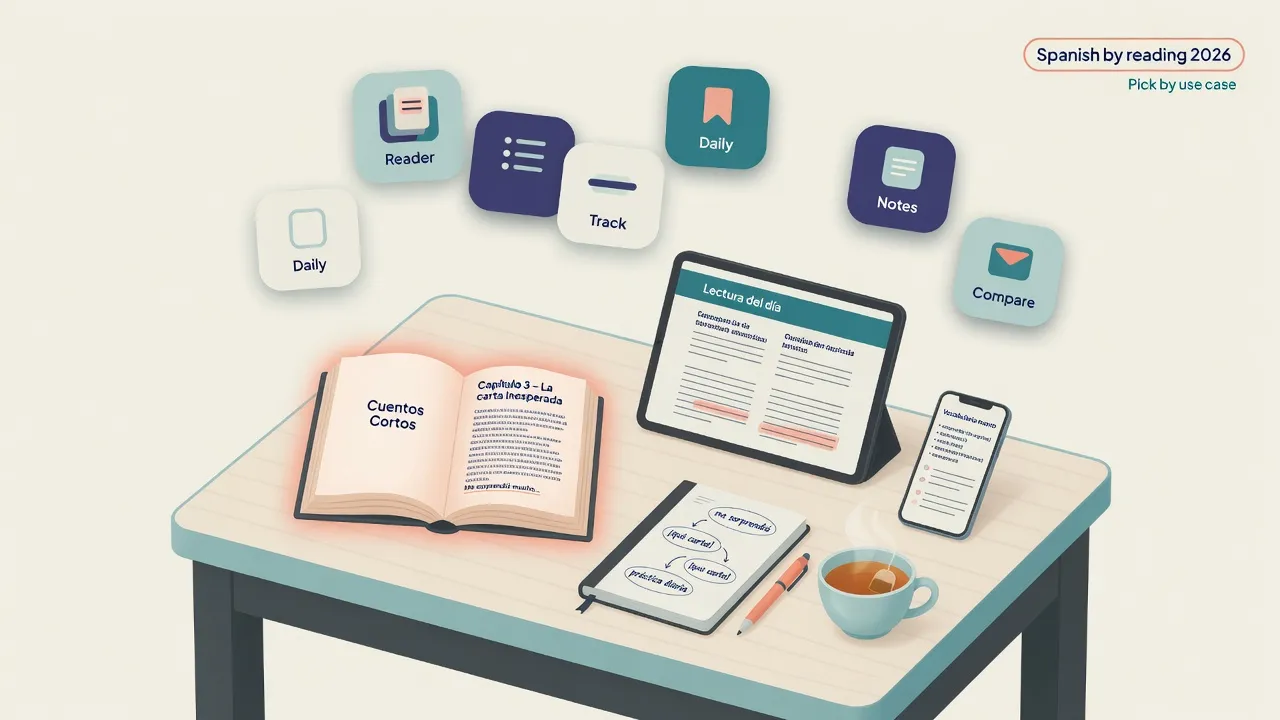
You open another "best Spanish apps 2026" list and half of it is streak games, flashcard leaders, and chatbots. Fine tools - for other jobs. If you want novels, news, graded stories, or a real ebook chapter, those lists will waste your evening. Long-form Spanish needs a reader, not a firecracker of daily XP.
Here is the plain answer.
If you want Spanish through reading, pick the tool that matches where your text lives this week: graded shorts, open web, Kindle books you buy, or high-volume imports. LingQ-style tools fit importers; Readlang-style tools fit browser tabs; Beelinguapp-style parallel text helps early confidence; Kindle plus a Spanish dictionary wins for legal commercial books; MovaReader fits free graded Spanish plus your own EPUB on a small freemium ladder. There is no overall crown. The best Spanish reading app is the one you open daily on content you care about.
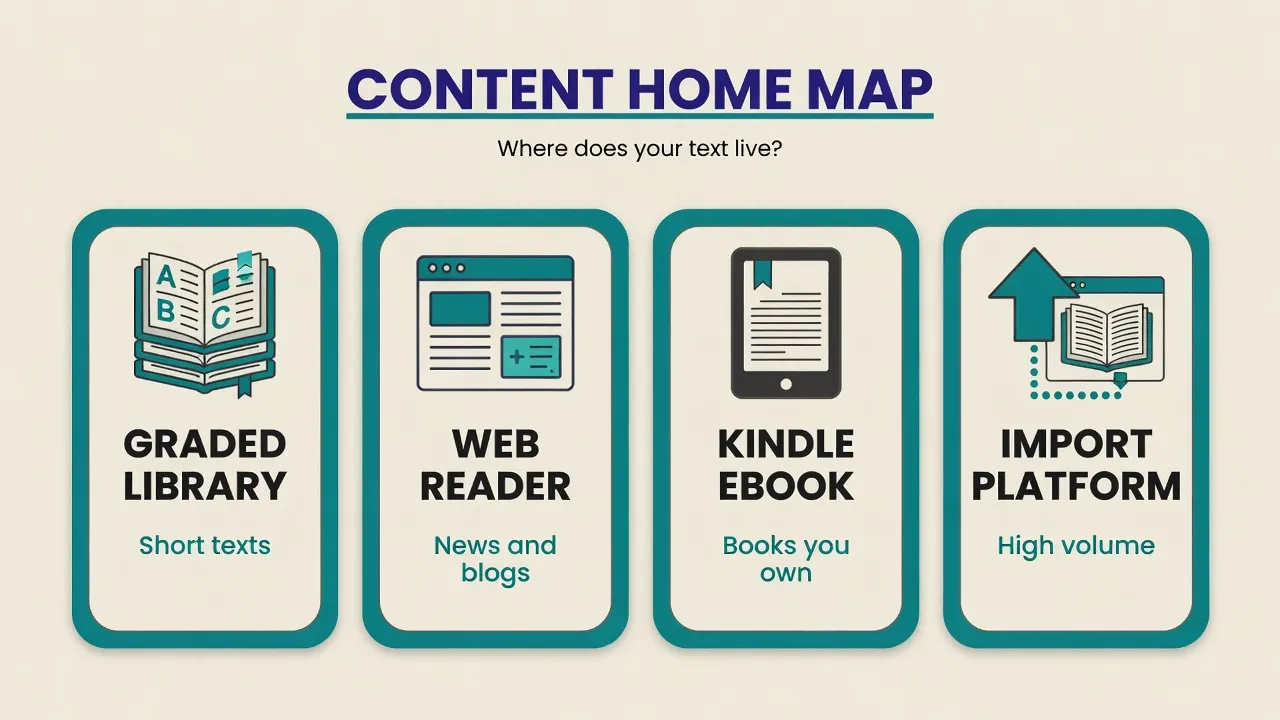
Call that your content home - one idea for the whole guide. Hire the home that matches this week's Spanish, not the brand with the loudest feature page.
If that already matches your week, stop scrolling and test that free tier for seven days.
A short product note: MovaReader is one option in this set - free graded Spanish articles, click-to-translate, about 20 word translations a day, unlimited listening within the product, Reader €1 for unlimited translations, Pro €5/mo for trainers, and EPUB uploads you own. It does not host commercial novels by default. Details: pricing.
Features and prices for LingQ, Readlang, Beelinguapp, and Kindle change. Treat peer rows below as typical public positioning, not a permanent warranty. Always check the vendor page before you pay.
Try free graded Spanish first: Spanish A2 sample, optional Spanish A1 sample. Browse the free graded library if you want more levels.
Below: quick picks by situation, a use-case map, a feature table, deep notes with watch-outs, a five-minute choose path, stacks A-D, pricing, a 15-minute method loop, and a FAQ.
Quick picks: which tool first?
Match the tool to this week's Spanish text, not to a generic "best apps" crown.
| Your situation | Start with | Why |
|---|---|---|
| A1-A2, short finishable texts | Graded library (e.g. MovaReader free) or Beelinguapp-style parallel | High comprehension, low quit rate |
| B1+, import lots of real content | LingQ-style import reader | Massive input + known-word tracking |
| Mostly open web | Readlang-style web reader | Fast lookup on articles you already open |
| Already buy Kindle ebooks | Kindle + Spanish dictionary | Legal commercial books you own |
| Cheap unlimited lookups + own EPUB | MovaReader Reader (€1) after freemium | Own files; freemium tests flow first |
| Phrase practice after reading | Trainers (MovaReader Pro) or separate SRS | Recognition vs production loop |
There is no single winner. The best Spanish reading app is the one you open daily on content you care about.
The category is bigger than five logos. Short-story apps (for example Readle), large multi-format libraries (for example EWA), and novel-first readers all show up in search results. Still filter by content home, not brand hype.
Four lanes, one map: graded library, web reader, Kindle ebook, import platform. Use it when the table feels crowded.
Comparison table (reading-focused)
Typical public positioning for peers. Verify on the vendor site before you buy. For MovaReader, check current pricing.
| Tool | Content model | Lookup / learning loop | Typical cost model | Best for | Weak for |
|---|---|---|---|---|---|
| LingQ | Import + library (many languages) | Known/unknown words, queues, audio | Free + paid plans | High-volume input, polyglots | Free graded shorts only |
| Readlang | Web + library-style click lookup | Instant click translation; save phrases | Freemium / paid (check site) | Casual web reading | Pure offline novel workflow (plan-dependent) |
| Beelinguapp | Parallel bilingual stories + audio | Side-by-side, listen-while-read | Free + paid unlocks (check site) | Beginners dual-language | Permanent L1 crutch risk |
| Kindle + dictionary | Commercial/free ebooks you buy/borrow | Tap-to-define, highlights | Device free; books cost | Legal modern novels/nonfiction | Built-in trainers / graded Spanish library |
| Anki + any reader | Cards from any text | SRS of what you export | Free desktop; mobile may cost | Phrase memory after reading | Not a reader alone |
| MovaReader | Free graded articles + own EPUB/files | Click-to-translate, phrases, Pro trainers | Free ~20/day + listen; Reader €1; Pro €5/mo | Graded Spanish + supported own files | Hosted commercial bestsellers |
None of these replace choosing the right difficulty. A brilliant app on a C1 novel still feels like punishment at A2.
Deep notes on each option
Tables show the spine. This section is the human part: why people like each tool, what breaks, and who should hire it.
1. LingQ (import-first)
Public positioning: read and listen to lots of authentic or imported content; track known words; grow vocabulary from context rather than isolated drills.
Why Spanish learners like it:
- Strong culture around extensive reading and audio
- Import workflow for articles, transcripts, and lessons
- Multi-language if you are not Spanish-only
- Known-word tracking as a progress metric many polyglots enjoy
Watch-outs:
- Full power usually sits behind a subscription (confirm current tiers)
- Known-word counts are useful estimates, not lab-grade vocabulary size tests
- Junk imports create junk stats - you still need a content strategy
Fit: B1+ learners and polyglots who will actually import content weekly. If that is your real habit, LingQ often wins this cell.
2. Readlang (web-first)
Public positioning: read web content with one-click translations and save words or phrases for review.
Why it helps Spanish learners:
- Low friction if you already live in browser tabs (El País, blogs, hobby sites)
- Good for short sessions during the day
- Supports the habit of looking up blockers only, not full-page machine-translate
Watch-outs:
- Feature set and free limits change; check the site
- Browser-centric workflows can break for pure offline EPUB novels
- Always-translate habits can slow real reading skill
Fit: intermediate learners who read Spanish on the open web more than in books. When your content home is tabs, Readlang-style tools are the right hire.
3. Beelinguapp (parallel + audio)
Public positioning: bilingual books and stories with audio so Spanish and your base language line up.
Why beginners like it:
- Parallel layout reduces panic at A1-A2
- Audio supports pronunciation while reading
- Stories feel more like apps than textbooks
Watch-outs:
- Parallel text can become a permanent crutch if you never hide the L1 side
- Content library is curated; it may not match every interest
- Paid unlocks often gate the best material (verify current tiers)
Fit: A1-A2, or tired learners who need an easy re-entry week. Use dual text as a ramp, not a forever home (see FAQ).
4. Kindle + Spanish dictionary (the underrated stack)
This is not a "language app," but it is one of the best Spanish reading systems in 2026 if you already buy or borrow ebooks.
Strengths:
- Huge legal catalog of modern Spanish titles
- Tap definitions without leaving the page
- Offline, long-form, real chapter structure
Weaknesses:
- Weak language-learning loop (no graded library, limited SRS or trainers)
- Dictionary glosses can be dry or wrong for idioms
- No freemium "try graded Spanish today" path
Fit: solid B1+ with a reading habit and a budget for books (or library loans). If legal commercial novels are the job, Kindle often wins - full stop.
5. Anki (companion, not a reader)
Anki does not replace a reading app. It stores phrases you met while reading. Pair it with any reader above if you love card decks. Skip it if decks kill your motivation; reading plus light phrase review is enough for many people.
6. MovaReader (graded library + your own files)
What it actually does:
- Free graded articles with levels (browse all articles)
- Click-to-translate on words
- Unlimited listening within product limits on free use
- About 20 word translations per day on freemium
- Reader plan (€1) for unlimited translations
- Pro (€5/mo) for full trainers
- Upload EPUB/files you own (see how to use)
What it does not do:
- Host licensed commercial novels by default (no free modern bestseller shelf)
- Act as a multi-language import empire or a Kindle store
Where it fits: strong for supported graded Spanish and for turning your own files into a practice loop at a low price. Not a substitute for LingQ's import system or Amazon's store.
When another tool is the better hire: high-volume multi-language import → LingQ trial; pure web tabs → Readlang free; dual-language stories as the main ramp → Beelinguapp-style path; modern novels you already buy → Kindle.
Free path today:
- Spanish A1 sample
- Spanish A2 sample
- Free Spanish vocabulary trainer
- Everyday Spanish phrases practice
- Pricing only if freemium limits actually block you
How to choose in 5 minutes
Answer these in order. Your content home answers the first two.
- What will you read this week? Graded shorts, news, or a novel you already own?
- Where does the text live? App library, browser, Kindle, or EPUB on disk?
- What breaks your habit? Price, complexity, or boring content?
- Do you need production practice? If yes, add trainers or SRS; pure reading is recognition-heavy.
If question 1 is "graded shorts" and question 3 is "price," start free on a graded library. If question 1 is "a novel I already own on Kindle," do not force an import platform. Hire for the week you actually have.
Simple stacks that work
Ready-made stacks beat five overlapping subscriptions. Pick one primary home.
Four cards, one board: beginner free, web intermediate, book-first B1+, high-volume import.
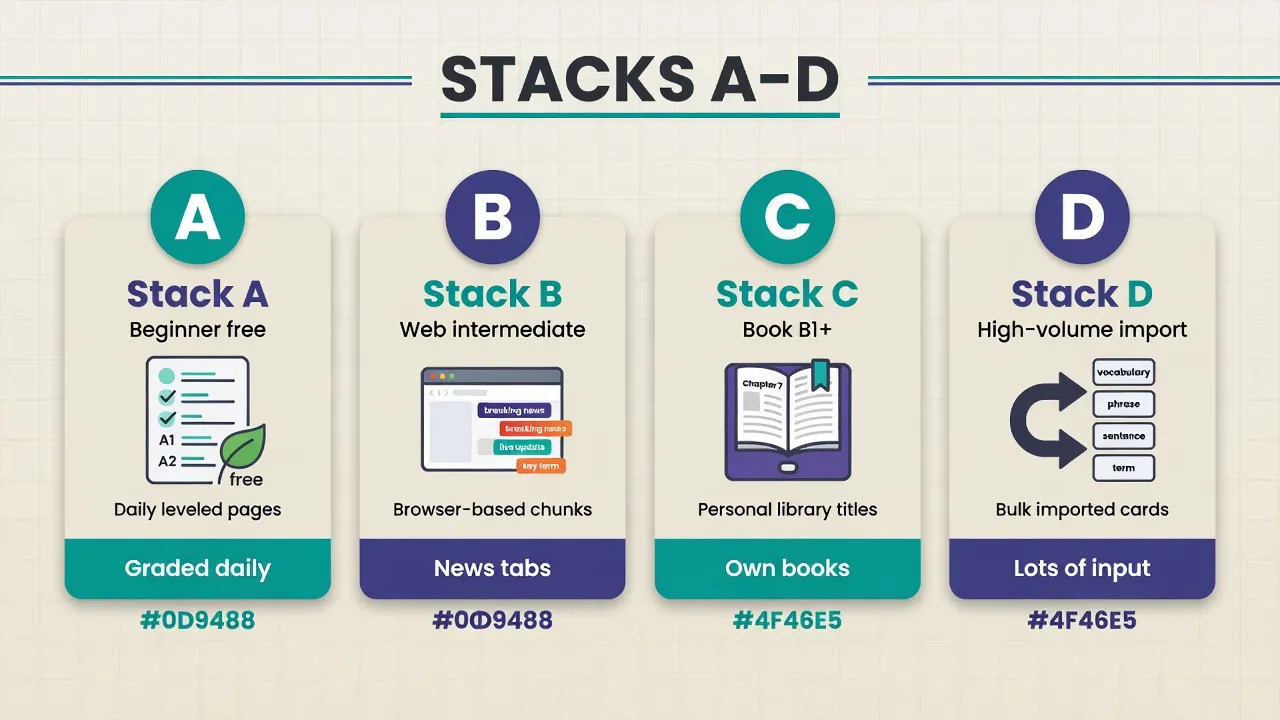
Stack A - Beginner, low budget
- Free graded Spanish texts daily (MovaReader library or similar)
- One short Beelinguapp-style parallel story when motivation drops
- No paid plan until you hit a real limit
Stack B - Intermediate web reader
- Readlang-style lookup on Spanish news and blogs
- Save 5-10 phrases per day max
- Optional SRS for those phrases only
Stack C - Book-first B1+
- Kindle or paper/EPUB novel you chose for interest
- Upload an EPUB you own into a supported reader (for example MovaReader) if you want in-app lookup and trainers (how to use)
- 15-25 minutes daily; finish chapters
Stack D - High-volume input
- LingQ-style import of transcripts, podcasts, and articles
- Weekly review of the unknown-word queue (trim aggressively)
One paid reading tool plus free content sources beats five overlapping subscriptions. Upgrade the tool that already became home - not the one with the loudest feature list.
Pricing in 2026: when to pay
Language apps love annual discount banners. Useful human rules instead:
- Pay only after a 7-day real habit on free tiers
- Prefer tools where free mode still lets you read, not only watch a paywall
- One paid reading tool + free content sources beats five overlapping subs
- MovaReader ladder: freemium (about 20 translations/day + listen) → Reader €1 → Pro €5/mo (pricing) - a low-risk upgrade
- Competitor free tiers may suffice if limits match your volume; verify each vendor before you pay
What free still tends to let you read (typical for peers; current plans for MovaReader):
| Tool | Free still lets you read? |
|---|---|
| LingQ | Free tier exists; limits often tight for heavy import (verify) |
| Readlang | Often useful for light web lookup; phrase caps may apply (verify) |
| Beelinguapp | Some free stories/audio; best material often behind paid unlocks (verify) |
| Kindle | App free; books and loans cost money |
| Anki | Free desktop; mobile may cost; not a reader |
| MovaReader | Free graded library + ~20 word translations/day + unlimited listening (within product) |
Method that matters more than the logo
Apps reduce friction. They do not create the habit for you. Whatever logo you hire, the reading loop is the same.
A simple daily loop: open text → read → mark a few blockers → stop around 15 minutes.
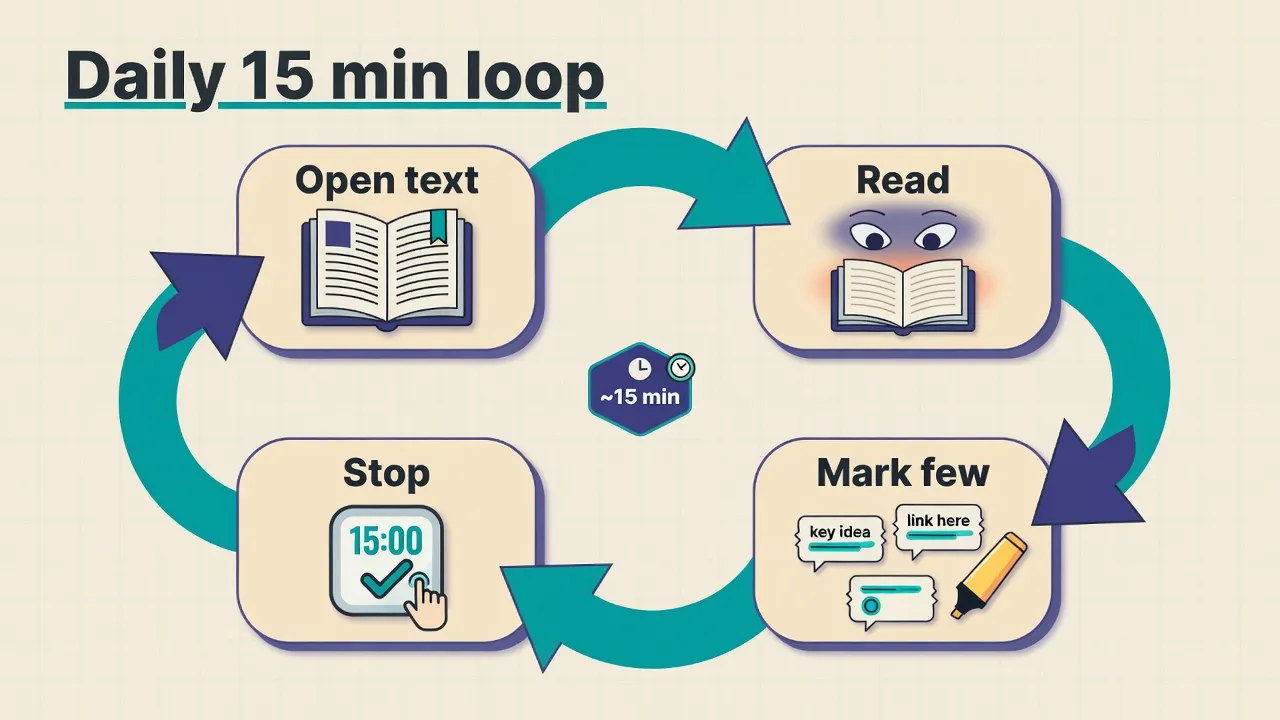
- Choose text at about 80-95% comprehension, not prestige titles.
- Look up blockers only - words that stop the sentence.
- Save phrases (chunks), not forty isolated dictionary words.
- Reread short sections so new forms stick in context.
- Prefer daily 15 minutes over weekend marathons.
Want a deeper walkthrough of the Spanish-by-reading method? See the longer guide: how to learn Spanish by reading.
FAQ: best Spanish reading apps 2026
Is Duolingo good for learning Spanish by reading?
It can support vocabulary and motivation, but it is not a long-form reading tool. If your goal is novels, news, and stories, use a reader-first app and treat Duolingo as optional warm-up. Streak games solve a different problem than graded texts or ebooks.
What is the best free app to read Spanish?
"Best free" depends on where your content lives. Free graded libraries (including MovaReader articles) and public-domain books beat paywalls for pure practice. Free tiers of LingQ, Readlang, and Beelinguapp may be enough if their free limits match your volume - check each vendor, because free caps change.
LingQ or Readlang for Spanish?
Rough rule: choose LingQ-style if you import lots of audio or text and track known words; choose Readlang-style if you mainly click through Spanish web pages. Many people try free tiers of both for one week each. The winner is the one that becomes home for the content you already open. For a deeper three-way with MovaReader, see LingQ vs Readlang vs MovaReader.
Do I need Pro features (or paid) to learn from reading?
No. Free graded reading already builds skill. Unlimited lookups and trainers help when friction is high, but upgrade only when free limits stop a habit you already proved (for example after seven real reading days). One paid reader that matches your content home beats five overlapping subscriptions.
Can I read Harry Potter (or commercial novels) in these apps?
Only if you own a legal file or use a store that sells or loans it (Kindle and similar). Reading apps should not be treated as free piracy hosts. MovaReader expects you to upload files you own; it does not ship commercial novels by default. Buy, borrow, or use public-domain and free graded content. Own-EPUB path: how to use.
Should I use parallel text forever?
No. Parallel text is a ramp, not a forever home. Once you can follow a graded Spanish page without the English (or L1) column, hide L1 more often so Spanish carries the meaning. Keep Beelinguapp-style dual text for hard weeks; graduate to Spanish-only pages when comprehension holds.
Final takeaway
In 2026, the best apps to learn Spanish by reading are the ones that put comprehensible text in front of you daily with low lookup friction.
- Use graded libraries when you need wins.
- Use web readers when news is your content.
- Use Kindle/EPUB workflows when you want real books.
- Use import platforms when volume is high.
- Use trainers/SRS only for phrases you actually met in reading.
Next steps, under ten minutes:
- Open the Spanish A2 sample
- Browse all articles
- Try the phrase demo
- Compare paid plans on pricing only after a free habit
- Optional own-file path: how to use. Still shopping a wider list? Soft handoff: LingQ alternatives
Keep reading with translations inside the text
With a free account, an unknown word translates with one tap, and the words you are learning wait for you in the trainer.
Free account: 7 days of Pro, then 20 word translations a day or a paid plan.