Reading Strategies
Beelinguapp Alternative: Parallel Text vs Word-Tap
You like the split page and the karaoke highlight, then notice your eyes live on the translation. Here is the choice: stay on Beelinguapp, mix tools, or switch to original text plus word-tap.
You open a story on your phone. Two columns sit there. Your language on one side. The new language on the other. A highlight walks the line while a voice reads. It feels safe. It feels like you are doing the work.
Then a small thing shows up. Your eyes live on the translation. The original waits, polite and unread. You still finish the story. You still feel busy. You are not sure you lived in the language.
If you came looking for a Beelinguapp alternative, start here. The question is not which clone wins. It is where your eyes live by default.
Beelinguapp is a mobile bilingual reader: the same story in two languages, side by side, with karaoke-style highlight while audio plays. You can also hide the translation and long-press a word when you want extra help. The real choice is default attention: stay if you still need your first language (L1) on screen and line-by-line audio; mix if you want that library plus original English or Spanish pages; switch if you want a book-like page and help only when you tap.
This is a method fork, not an 11-app dump. Two pages, two habits:
Below: a method table, when parallel karaoke helps, when it stalls, who switches, who mixes, and where word-tap fits in.
Stay, mix, or switch?
Three paths. Leaving is optional. Stacking is allowed. Switching is not a moral win.
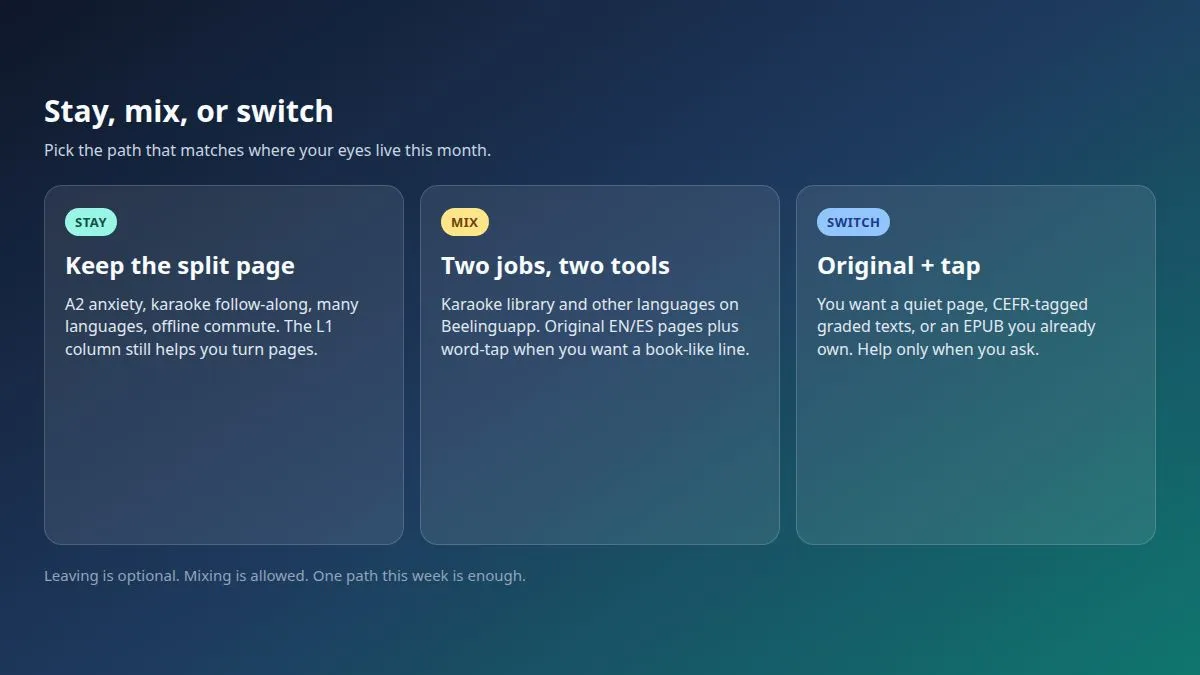
Stay if you are an anxious A2 and L1 on screen is what keeps you turning pages. Stay if karaoke follow-along is the point: eye and ear on the same line. Stay if you browse many languages in one mobile library (they list 23 on the 2026 homepage), download stories for an offline commute, or you already like the split view. On a packed train, that layout can be the difference between reading and closing the app.
Mix if you want Beelinguapp for karaoke, offline stories, or languages we do not teach, plus original pages and word-tap for English or Spanish books. Two tools, two jobs. Do not expect one app to clone the other's catalog.
Switch if you want a page that looks like a book. Switch if you want CEFR-tagged graded English or Spanish, or you already own or borrow a legal EPUB. Switch if the split screen bores you and you can keep turning pages without always-on L1.
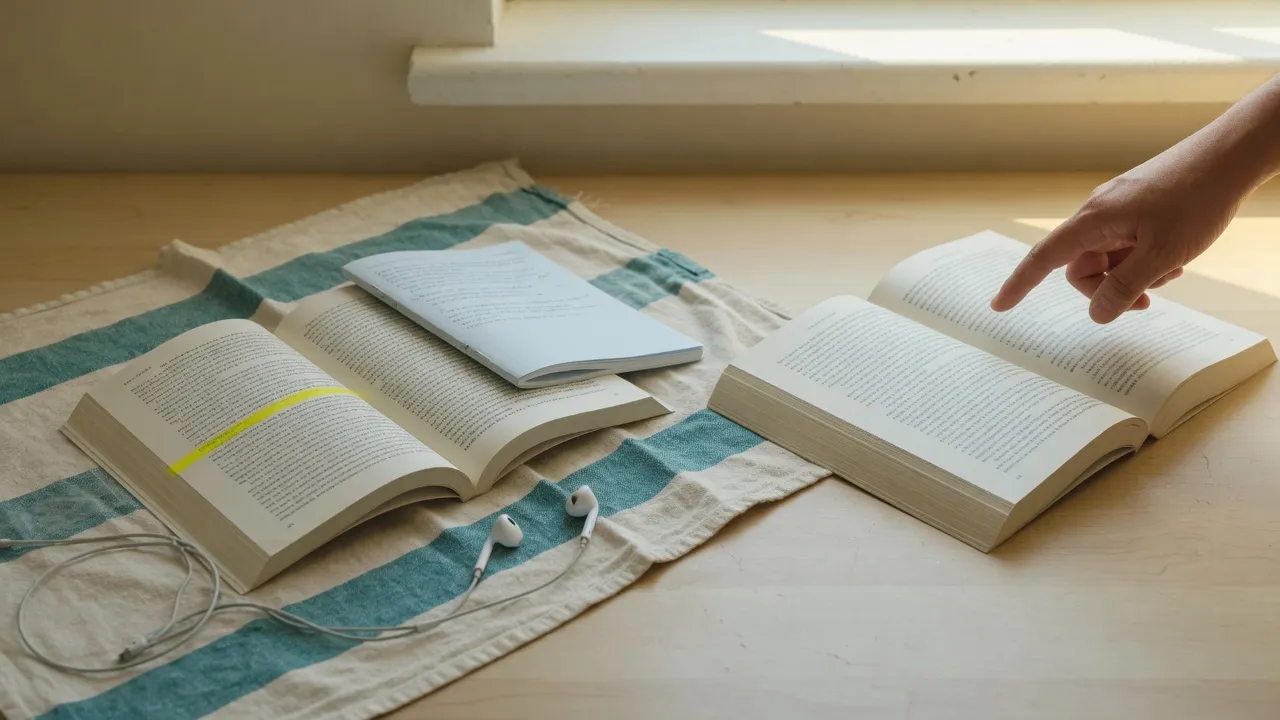
Here is that fork in one picture:
How do I know I am ready to leave the split page?
Try one short test. Can you finish a page looking at the original first? If yes, you may be ready to leave the split page as the default. If you still panic without L1 beside the line, stay or mix this month. That is a season, not a failure.
Parallel karaoke vs original + word-tap
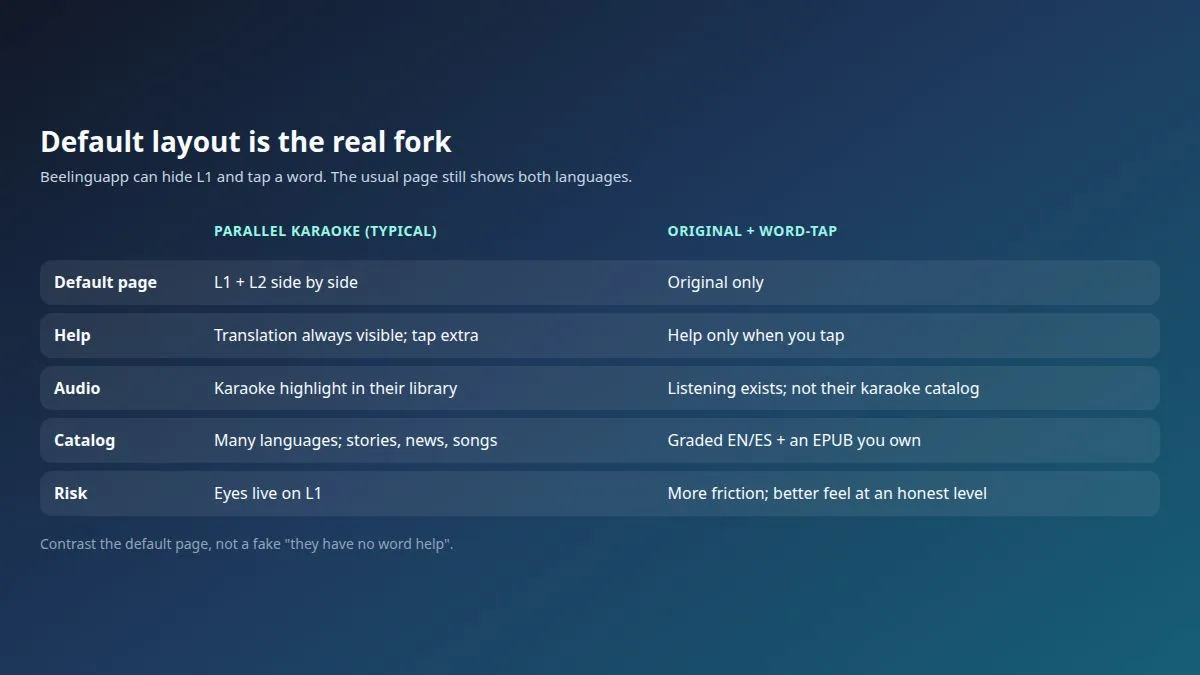
The fork is not "who has tap." Both tools can look a word up. The fork is where your eyes live by default. If you searched Beelinguapp vs click translate, or parallel text vs word-tap, that is this table.
| Beelinguapp (typical default) | Word-tap original (MovaReader lane) | |
|---|---|---|
| Default page | L1 + L2 side by side | Original only |
| Help | Always-visible translation; long-press extra | Help only when you tap |
| Audio | Karaoke highlight in their library | Listening exists; not a licensed karaoke catalog |
| Catalog | Many languages; in-app stories / news / songs | Graded EN/ES + legal EPUB you own |
| Risk | Eyes live on L1; language feel stays thin | More friction; better feel once the level fits |
Beelinguapp is not tap-less. You can hide the translation and long-press or tap a word or phrase. We contrast what the page does by default.
Same idea as a board: what you see before you change a setting.
Is karaoke the same as word-tap?
No. Karaoke pulls your eye along a highlighted line while audio plays. Word-tap leaves the page quiet until you ask. One is follow-along. The other is help on demand. You can use both in a week. They train different attention.
When does parallel / karaoke help?
Beelinguapp is a real product for a real season. Parallel text plus karaoke reading can be the kindest layout you have right now.
It helps when A2 anxiety would stop you. L1 on screen keeps you turning pages. It helps on the first pages of a new language, or the first pages of a harder story, when a quiet original page would feel like a wall. It helps when you want eye and ear on the same line. Kids' stories, simple plots, lyrics, and short news work well in that frame. So does an offline commute with downloaded texts.
It also helps if you are browsing many languages. Their homepage library lists 23 languages. Our path, if you mix or switch later, is still English and Spanish reading. Those are different jobs.
If that is your season, stay. You do not need a new app to prove you are serious.
When does it stall?
Comfortable is not the same as living in the language.
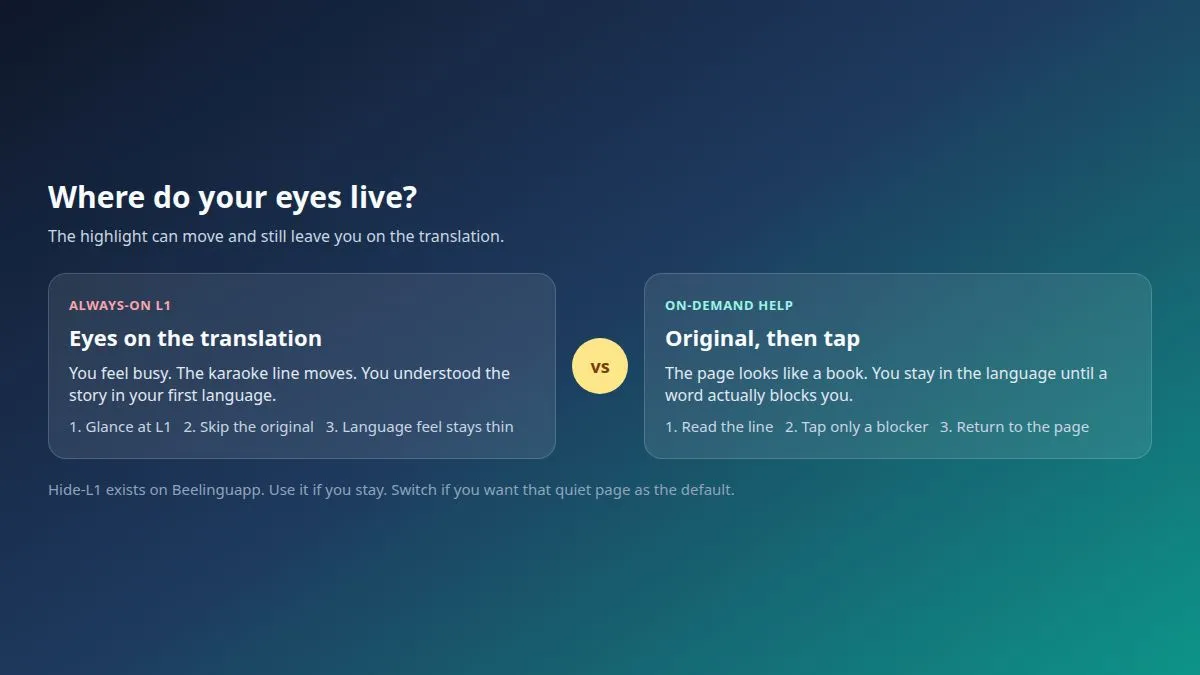
It stalls when you never look at the original. You "read" the translation and call it a session. It stalls when the highlight moves and you feel busy, but the language feel stays thin. It stalls when hide-L1 exists and you never turn it on.
If that loop sounds familiar, we wrote a longer piece on when parallel texts stall and language feel. This post will not rewrite that essay.
Segmented gloss, with notes inside the text and then a clean reread, is a cousin method, not this one. Then stop. The fork here is still split karaoke versus a quiet original page.
Two attention loops. One keeps you comfortable. The other keeps you in the language.
Who should switch to original + word-tap?
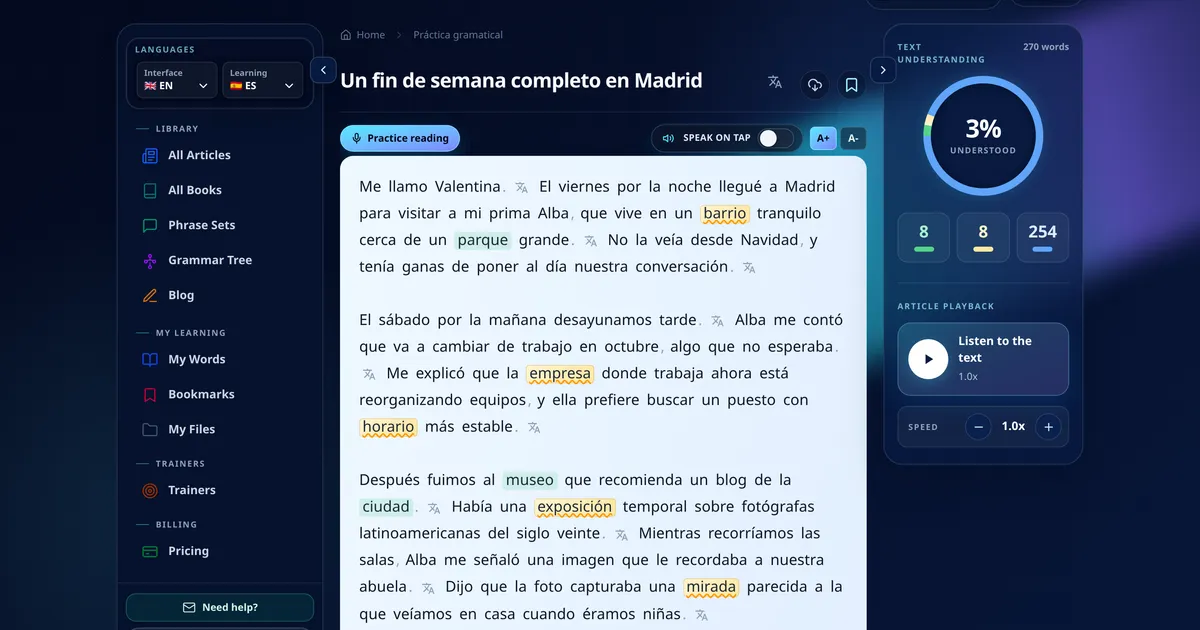
Switch if you are learning English or Spanish and you want a page that looks like a book. Help appears when you tap a blocker. The rest of the page stays in the language.
Switch if you want a CEFR-tagged path and graded texts you can try for real, like this Spanish A2 sample. Switch if you already own or borrow a legal EPUB and you want that file, not another in-app story. Switch if the split screen bores you.
A fair limit: tap is help. It is not a grammar tutor. It will not decode sarcasm for you. You still need a level that fits you, or the page will feel like a wall.
Beelinguapp alternative for Spanish?
Yes, this fork works both ways. English speakers learning Spanish. Spanish speakers learning English. Spanish sits in Beelinguapp's library among those 23 languages, so staying can still be right. If you switch or mix, our path is English and Spanish on the original page. It is not a 23-language karaoke clone.
Who should mix both tools?
Plenty of people should mix. Keep Beelinguapp for karaoke breadth, offline stories, or languages we do not teach. Use a word-tap reader for English or Spanish originals, a graded library, and light trainers.
Tuesday can be karaoke in another language. Thursday can be a quiet Spanish page. You do not have to delete the app to try a book-like page. We do not host Beelinguapp's karaoke catalog inside ours. Do not expect that.
LingQ-style import tools and web-tap readers are a different job. If that is what you actually need, start with our LingQ alternative map, or the LingQ vs Readlang comparison. This post will not turn into a third podium.
Are Duolingo, Anki, or video apps a Beelinguapp alternative? Wrong job. Skip those dump lists. A bilingual karaoke reading app alternative, if you want one, is a method change: parallel text versus word-tap, not a streak app.
Where does a word-tap reader fit?
If the job is a quiet original English or Spanish page, not a split karaoke library, that is the cell MovaReader sits in. You read the original. You tap a blocker. You can listen if you want audio. Listening is not a licensed karaoke catalog.
A simple loop: one graded page near your level, tap only when stuck, optional light trainers, later a legal EPUB you own or borrow.
The free plan includes listening plus about 20 word translations a day, and a free graded English and Spanish library. Unlimited reading translations are Reader at €1 a month. Full trainers are Pro at €5 a month. See pricing for live numbers.
We do not teach 23 languages. Commercial books are a legal EPUB you already own or borrow, not a free novel shop. If you still need L1 beside every line, or karaoke follow-along is the job this month, stay or mix. Both are allowed.
If switch or mix is your job this week, try one Spanish A2 page or the graded library. How to use shows the feel, including an EPUB you own. Trainer demos: phrase typing and type training.
FAQ
What is the difference between side-by-side text and tapping a word?
Side-by-side keeps L1 next to every line, so your eyes can live on the translation. Tapping a word leaves the original page quiet and helps only when you ask. Beelinguapp can do both (hide-L1 plus long-press), but the default is the split page plus karaoke highlight. Word-tap as a default is a different attention habit, not a magic decoder.
Is Beelinguapp good for beginners and for Spanish?
Yes for a season: anxious A2, first pages, karaoke follow-along, kids or simple stories, offline commutes. Spanish is in their library among 23 languages. It is a fair stay if you still need L1 on screen. It is a weaker long-term home if you only read the translation column. Our path, if you switch or mix, is English and Spanish reading on the original page.
Does Beelinguapp have karaoke audio, hide-translation, and word tap?
Yes, all three. Official stores call the highlight Karaoke-Style Scrolling Text. You can hide the translation and long-press or tap a word or phrase. Glossary and quizzes exist too. Many stories are narrated by native speakers. That is not a claim that every file is human, or that every file is AI. Do not paint them as tap-less.
Can I stay on Beelinguapp and still read originals?
Yes. Mix is a real path. Keep Beelinguapp for karaoke, offline stories, or languages we do not teach. Read original English or Spanish pages, graded or an EPUB you own, with help only when you tap. You do not have to delete the app to try a book-like page.
What is a Beelinguapp alternative if I want the original page?
If you want a quiet original page plus tap-when-stuck, look for word-tap reading, not a clone list. Dump Beelinguapp alternatives pages often mix Duolingo, Anki, video apps, or tutors. Those are different jobs. This post is a method fork: stay on parallel karaoke, mix tools, or switch to original plus word-tap for English and Spanish.
Do I have to leave Beelinguapp to mix tools?
No. Stacking is allowed. Keep their library for the job it already does. Add an original English or Spanish page when you want eyes off the L1 column. Leaving is optional.
What should you do this week?
Pick one path. Stay, mix, or switch. One is enough.
If you stay, try hide-L1 on a story you already know. Keep karaoke if the audio line still helps. Notice where your eyes live.
If you mix or switch, try one original English or Spanish page and tap only when you are stuck. The graded library and this Spanish A2 sample are a low-drama start. How to use and pricing are there when you want the next step.
You do not owe anyone a new app. You owe your eyes a page that works for them.
Keep reading with translations inside the text
With a free account, an unknown word translates with one tap, and the words you are learning wait for you in the trainer.
Free account: 7 days of Pro, then 20 word translations a day or a paid plan.